Game Timer

Board Game Timer with a clock for every player.

Give each player their own time, tap to pass the turn, and keep slow games moving. When the game ends, see who took how long.

  • No account
  • No ads
  • Works offline
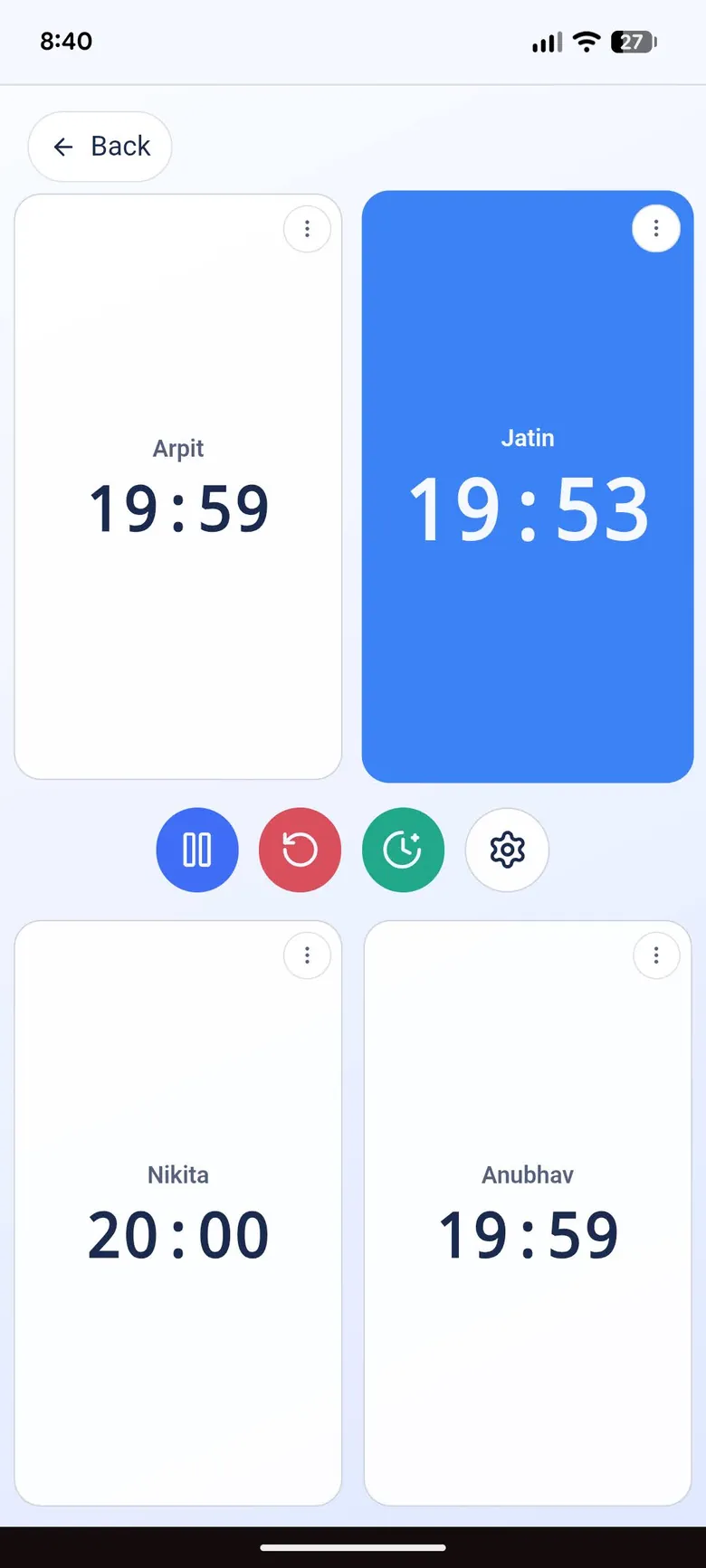
The Game Timer with four players, each with their own clock, and one player’s clock running
Pause anytime

How it works

From the first turn to the final results.

  1. Set up the clocks

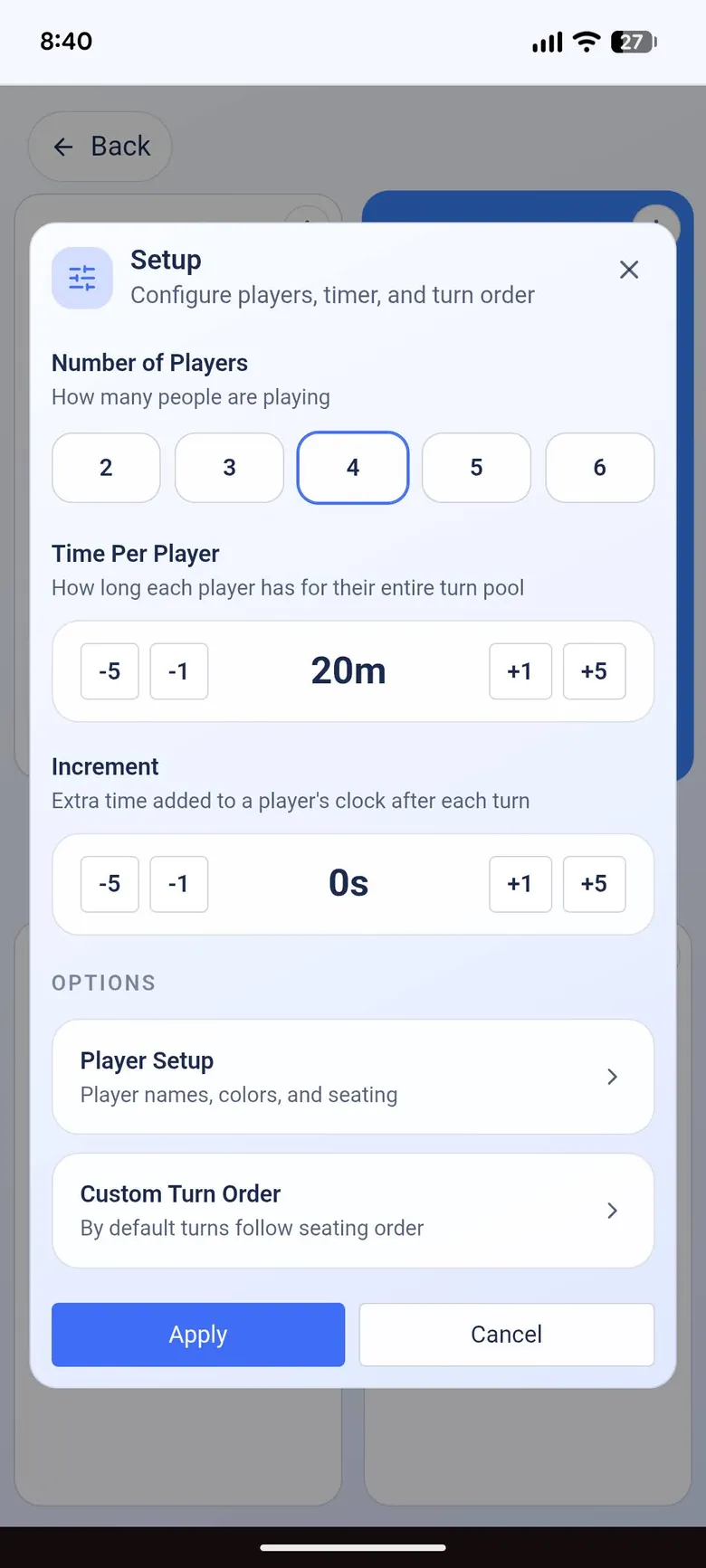
    Choose how many players there are, how much time each one gets, and an optional extra time added after every turn.

    The setup sheet with the number of players, time per player and extra time per turn
  2. Tap to pass the turn

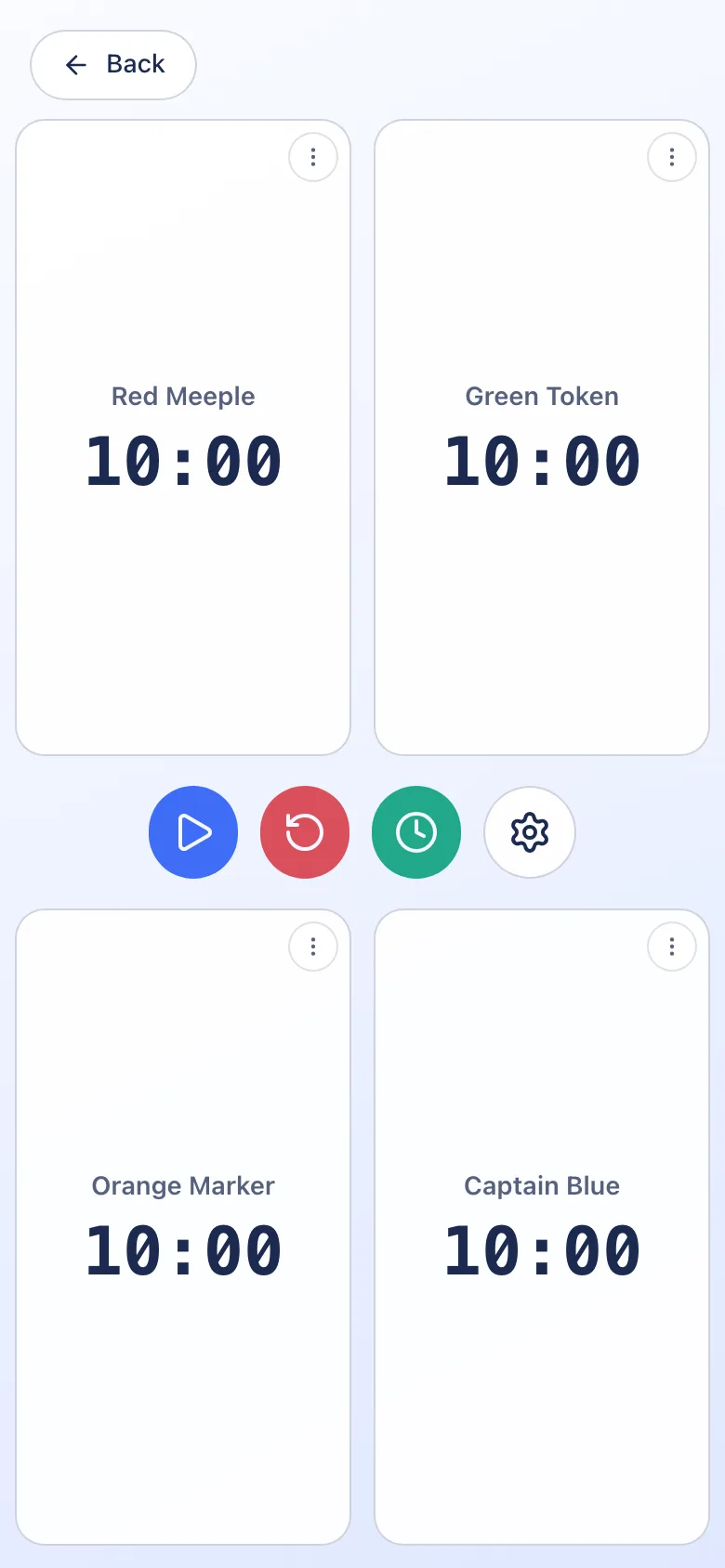
    Each player has their own clock, and the one that is running is highlighted. Pause the game, add time or start over with one tap.

    Four player clocks side by side, with pause, restart and add-time buttons in the middle
  3. See how the game went

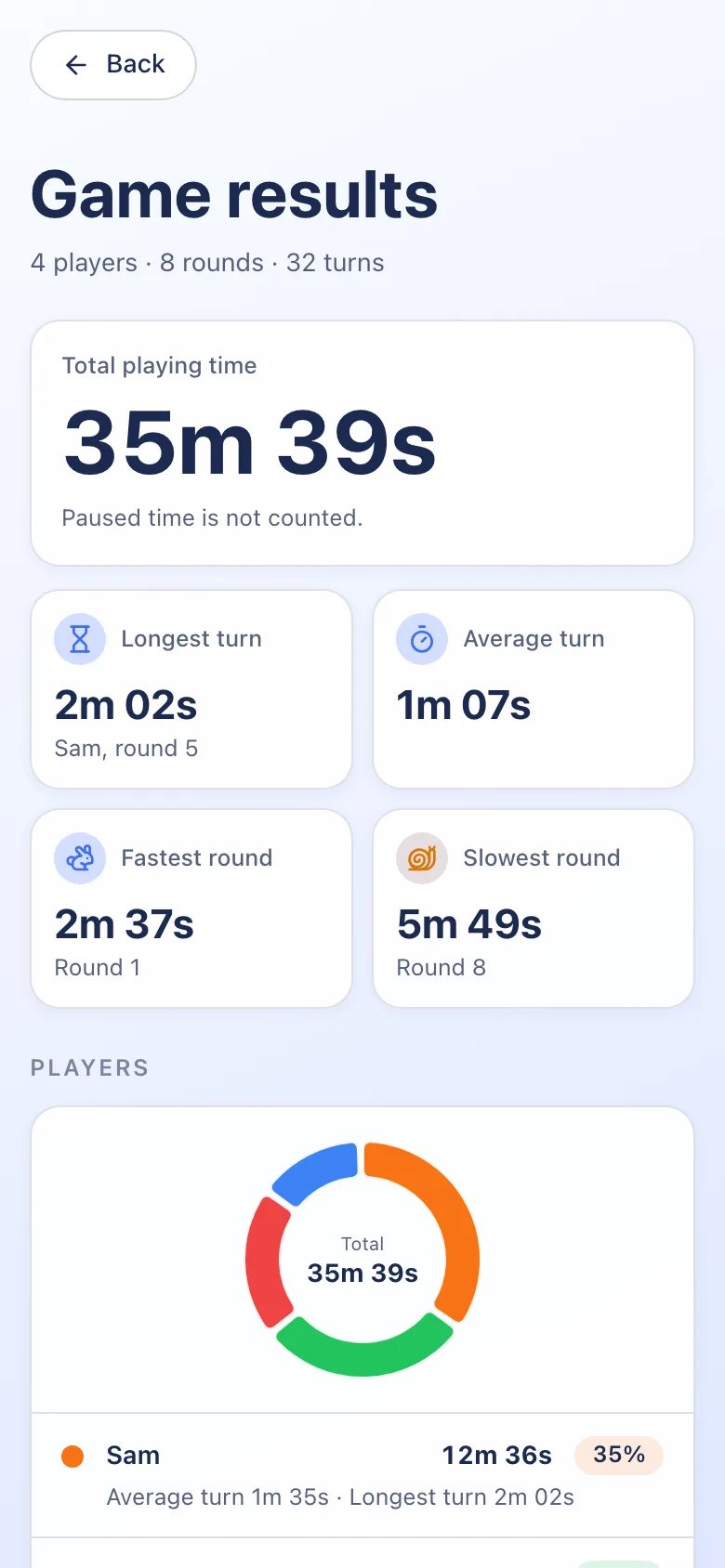
    End the game to see the total playing time, each player’s share, the longest turns, and awards such as fastest player. You can share the results as an image.

    The game results screen with total playing time and the longest and average turns

Why people use it

Fair turns, for everyone.

A separate clock per player

Everyone has their own time, so it is clear whose turn is taking too long.

Extra time after each turn

Add a few seconds back to a clock every time a turn ends, the way many strategy games are played.

Every turn on record

After the game, see each player’s longest turn, their average turn and a round-by-round chart.

Always ready

Nothing to download or sign in to, and it works without a connection.

  • 2–6players per game
  • 0accounts or ads
  • Offlineafter your first visit

Good to know

Questions, answered.

Is this a chess clock?
It works in a similar way, but for two to six players. Each player has their own clock, and tapping passes the turn.
How many players can it time?
Two to six. Choose the number in the setup sheet.
Can I add time each turn?
Yes. Set an extra amount of time to add to a player’s clock after each of their turns.
Can I pause the game?
Yes. Pause from the buttons between the clocks. Paused time is not counted in the results.
Can I see the results afterwards?
Yes. When you end the game you get the total time, each player’s turns, a chart for every round, and a few awards. You can share the results as an image.
Ready to start the clock?

Open Game Timer and start your next game. It is free, works offline and needs no sign-up.